Best AI Video Editing Tools in 2026: 6 Real Options Compared
We tested six AI video editing tools — Opus Clip, Descript, CapCut, Premiere Pro, VEED, and our own AutoEdit — and compared real 2026 pricing, actual features, and who each one genuinely fits.
Best AI Video Editing Tools in 2026: 6 Real Options Compared
Every AI video editor promises the same thing: upload footage, get a finished video. None of them fully deliver that, and the ones that come closest charge for it in ways that are not obvious until your second billing cycle. We run a video studio and we also build one of these tools, so we spend a lot of time inside all of them. This comparison covers six tools we actually use, with 2026 pricing pulled from each vendor, and an honest read on where each one wins and where it falls over.
One disclosure up front: AutoEdit is our product, so read that section knowing we built it — we have tried to hold it to the same standard as everything else here.
The short version: comparison table
| Tool | 2026 price (monthly) | Best at | Weakest at |
|---|---|---|---|
| Opus Clip | Free (60 min) / $15 Starter / $29 Pro | Turning long videos into scored short clips | Anything that is not clipping |
| Descript | Free / $24 Hobbyist / $35 Creator / $65 Business | Text-based editing, podcasts, AI co-editing | Credit system complexity; heavy timelines |
| CapCut | Free / $9.99 Standard / $19.99 Pro | Fast social edits, templates, captions | AI credits run out; ecosystem lock-in |
| Premiere Pro | ~$30 single app / ~$80 All Apps | Professional finishing, Generative Extend | Speed; learning curve; generative credits |
| VEED | Free / $12 Lite / $24 Pro (annual) | Browser editing, subtitles, avatars | Watermark and caps on lower tiers |
| AutoEdit (ours) | Free (1 export) / $20 Creator / $49 Pro | Hook scoring + cut suggestions for shorts | Not a full timeline editor |
Opus Clip — the clipping specialist
Opus Clip does one job: it ingests a long video (podcast, webinar, stream) and cuts it into vertical shorts, each stamped with a virality score. In 2026 the free tier gives you 60 processing minutes a month with a watermark; Starter is $15/month for 150 minutes and watermark-free exports; Pro is $29/month ($19 on annual) for 300 minutes, 1080p export, speaker detection, and multi-platform auto-posting to YouTube, TikTok, and Instagram.
The clip selection is genuinely good on talking-head content — it finds the moment where a guest says something quotable more reliably than most human assistants skimming at 2x. Where it struggles: b-roll-heavy footage, music-driven edits, and anything where the value is visual rather than spoken. Its virality score is also a black box; it tells you what scored well but is thin on why.
Fits: podcasters and streamers repurposing hours of long-form into shorts at volume. Skip if: you shoot original short-form or need real editing control.
Descript — the text-based workhorse
Descript turns your video into a transcript and lets you edit the video by editing the text — delete a sentence, the cut happens on the timeline. Its AI assistant, Underlord, goes further: it can tighten cuts, strip filler words and silences, fix audio with Studio Sound, add captions, and apply layouts on request. In 2026 pricing runs Free (60 media minutes), Hobbyist $24/month, Creator $35/month, Business $65/month, with cheaper annual rates ($16/$24/$50).
The catch is the metering. Descript moved from simple transcription hours to a split system of media minutes plus AI credits, and heavy Underlord use burns credits fast. It is also happier with one or two tracks of talking-head footage than with a dense multicam timeline — exports to a real NLE exist, but round-tripping is where the friction lives.
Fits: podcasters, course creators, and teams who edit interviews and screen recordings weekly. Skip if: your edits are rhythm-driven or effects-heavy.
CapCut — the volume machine
CapCut restructured its pricing in early 2026: the old Pro tier became Standard at $9.99/month, and a new Pro tier at $19.99/month ($179.99/year) added 4K/HDR export, 1TB cloud storage, and the full AI toolkit — auto-captions with speaker ID, camera tracking, vocal isolation, text-to-video, voice cloning, and avatar generation. App-store subscriptions cost a few dollars more; students can get Pro for $3.99/month.
For raw speed on social edits, nothing here beats CapCut. Templates, trending effects, and auto-captions make a publishable Reel in minutes. The trade-offs are the credit metering above, an interface built around consumption trends rather than craft, and the usual platform-ecosystem questions that come with a ByteDance product.
Fits: solo creators and social media managers shipping daily content. Skip if: you need color-managed, client-deliverable masters.
Adobe Premiere Pro — AI inside a real NLE
Premiere is not an "AI editor," it is a professional editor that keeps absorbing AI features: Speech to Text and Text-Based Editing (included, no per-transcription charge), Enhance Speech, Auto Reframe, AI-powered media search across your footage, an Object Mask that tracks people and objects with one click, and Generative Extend, which uses Firefly to add up to 2 seconds of video or 10 seconds of audio to a clip that ends a beat too early. Pricing in 2026 sits around $30/month for the single app and roughly $80/month for Creative Cloud All Apps, with Generative Extend drawing on generative credits that scale with resolution.
In our studio work, Generative Extend has quietly become the most-used AI feature on this list — it fixes the "the take ends 20 frames too soon" problem that used to cost a reshoot. But Premiere does not edit for you. It accelerates an editor who already knows what they are doing, and the learning curve remains real.
Fits: professionals and studios who need finishing control and client deliverables. Skip if: you want a finished short from raw footage without touching a timeline.
VEED — the browser generalist
VEED is a full editor in a browser tab, strongest at subtitles (auto-generated, translated, styled), quick trims, and AI avatar videos. The 2026 lineup runs from a free tier (watermarked, 10-minute export cap, ~30 minutes of AI usage) through Lite at $12/month and Pro at $24/month on annual billing, which unlocks avatars, longer translation minutes, and advanced AI tools; monthly billing runs roughly double.
The pattern with VEED is that each tier has a specific ceiling — export length, subtitle hours, translation minutes — placed exactly where a growing channel will hit it. It is a fair tool, but budget for the tier above the one you think you need.
Fits: teams making subtitled marketing and training video in the browser. Skip if: you export long videos often or resent watermarks.
AutoEdit — our tool, judged the same way
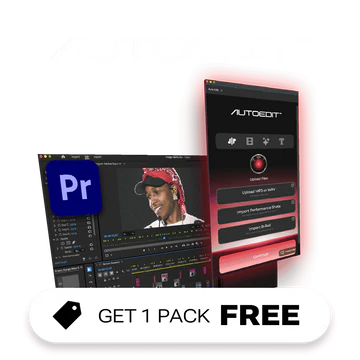
AutoEdit is the tool we built because the clipping tools kept telling us a clip would perform without telling us why. You upload footage, it transcribes and analyzes it, and returns two things: hook scores — every candidate opening moment rated and labeled by archetype (curiosity gap, bold claim, open loop, pattern interrupt, story) with a written reason — and cut suggestions you can toggle before exporting in TikTok, Reels, or Shorts framing with platform-specific captions. Pricing is free for 1 export, Creator at $20/month for 20 exports, and Pro at $49/month for effectively unlimited exports.
Honest limits: AutoEdit is not a timeline editor and does not try to be — no keyframes, no compositing, no multicam. If Opus Clip is a factory and Premiere is a workshop, AutoEdit is a script supervisor for short-form: it tells you which three seconds to lead with and shows its reasoning. We use it in front of Premiere, not instead of it.
Fits: creators and studios who want explainable hook analysis before they commit to an edit. Skip if: you need one tool to do the entire edit end to end.
How to actually choose
- Repurposing long-form at volume: Opus Clip, with Descript as the pick if you also edit the source material.
- Podcast and interview editing: Descript — text-based editing is still the fastest way to cut spoken content.
- Daily social output on a budget: CapCut Standard at $9.99, upgrading only when you hit the credit wall.
- Professional deliverables: Premiere Pro; the AI features now justify themselves on time saved per project.
- Subtitled marketing video in a browser: VEED Pro on annual billing.
- Understanding why your openings work or fail: AutoEdit — and yes, that is ours.
The realistic answer for most working creators in 2026 is two tools: one fast AI-first tool matched to your content type, and one finishing editor for the work that pays. Total cost lands between $30 and $60 a month — less than a single hour of freelance editing.
Try AutoEdit free →
Upload a video, get hook scores and cut suggestions — first export is free.
Frequently asked questions
- What is the best free AI video editing tool in 2026?
- CapCut's free tier is the most complete free editor, though many AI features are gated. Opus Clip's free plan (60 processing minutes, watermarked) is best for clipping, Descript's free plan suits short podcast edits, and AutoEdit's free tier includes one full export with hook scoring.
- Can AI video editors fully replace a human editor?
- Not in 2026. They reliably handle transcription, silence removal, captioning, clip selection, and reframing — roughly the first 70% of a short-form edit. Pacing decisions, story structure, color, and client-ready finishing still need a human, which is why most professionals pair an AI tool with a traditional NLE.
- Why do AI video tools charge credits on top of subscriptions?
- Generative features (avatars, voice cloning, video generation, Generative Extend) have real per-use compute costs, so vendors meter them with credit pools separate from the base subscription. Before subscribing, check the monthly credit allocation against your actual usage — it is the number that determines your real cost.
- Is AutoEdit biased in this comparison?
- AutoEdit is built by JML Tech Studios, the publisher of this article, and we say so in the piece. We have listed its limits alongside its strengths — it is a hook-analysis and export tool, not a full timeline editor — and we recommend competitors for use cases it does not serve.